Search for the Needle Codes and How to Redeem Them
Try PETS for 200 Gems and a 30-minute 2x Luck Boost. In the lobby, open Codes on the right side of the screen, paste the code and select Redeem.
Codes to redeem
| Code | Reward |
|---|---|
PETS | 200 Gems and a 2x Luck Boost for 30 minutes |
Codes can expire. Check the game's redemption response to see whether your entry was accepted.
How to redeem a code
- Launch Search for the Needle on Roblox.
- In the lobby, select Codes on the right. Look for the blue bird icon.
- Paste
PETSinto Type code here. Keep the letters exactly as shown, with no spaces before or after them. - Select Redeem to submit the code and claim its reward.
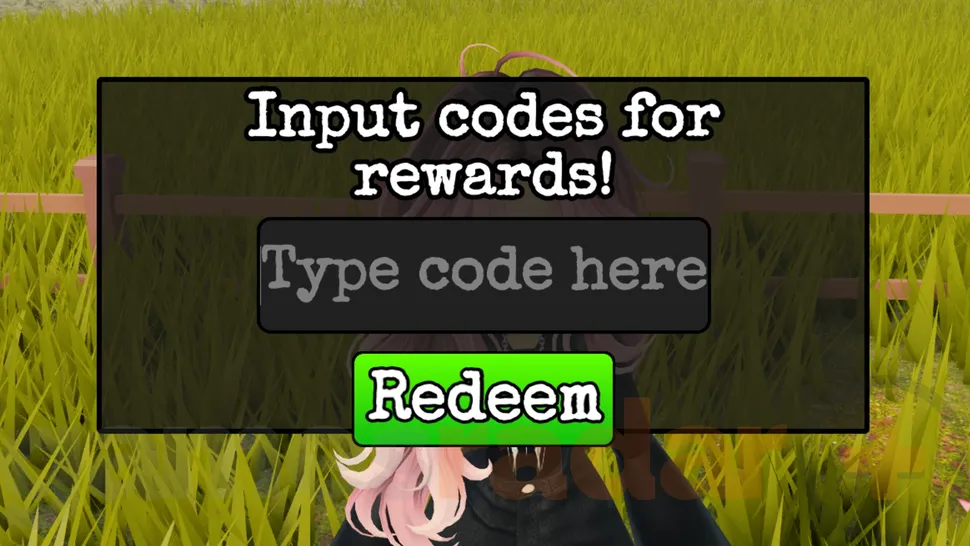
In the lobby, select Codes on the right, paste PETS into Type code here, then select Redeem.
Paste a code into the field, then choose Redeem.
Why a code may not work
If a code is rejected, first compare the letters with the code above and remove any extra spaces. Correct the entry before trying again.
If the server does not recognize the code, leave and join a fresh server, then retry once. Rejoining will not restore an expired code, so move on if an old code keeps being rejected.
Older codes
SOON— expired.ALIEN— may already be expired. Its reward is 200 Gems and 200 Alien Coins. You can try it once, but do not count those rewards toward a purchase until redemption succeeds. If it is rejected, move on.
Gems can be used for class rolls. Open the Class List to see the available bonuses before spending them.